AI Code Generation in 2026: How Developers Actually Use It, What It Does Well, and Where Humans Still Win
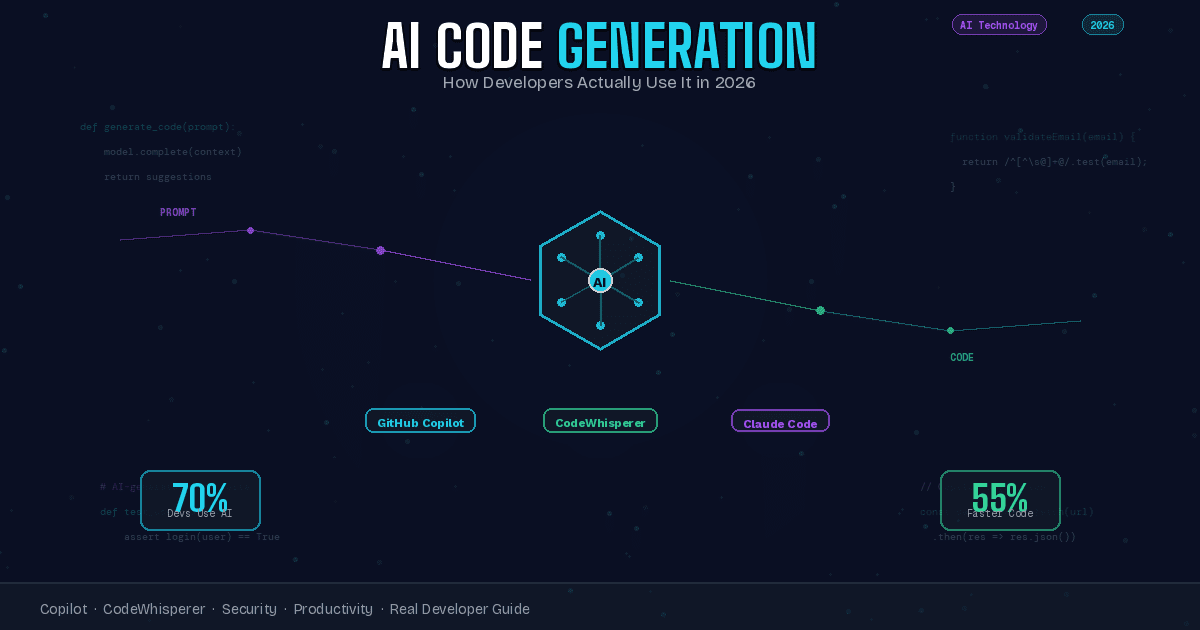
Quick Answer: AI code generation tools like GitHub Copilot, Amazon CodeWhisperer, and Anthropic's Claude Code are now used by over 70% of professional developers for writing functions, generating tests, debugging errors, and accelerating repetitive coding tasks. These tools excel at boilerplate code, pattern recognition, and speed, but still require human oversight for architecture, security, and complex business logic.
Three years ago, the idea of an AI writing working code from natural language descriptions felt like futuristic speculation. Today, it is a standard part of how millions of developers do their jobs. AI code generation has moved from experimental curiosity to production reality faster than almost any developer tool in history. But the gap between what the marketing promises and what actually works in practice is wide enough to matter.
This is an honest look at AI code generation from the perspective of developers who use these tools daily, not vendor claims or theoretical capabilities. We will cover what AI code generators actually do well, where they consistently fall short, how they change the development workflow, what the security implications are, and whether the productivity gains justify the tradeoffs. If you are a developer considering these tools, a manager evaluating them for your team, or simply curious about how AI is reshaping software development, this is the practical reality check you need.
What AI Code Generation Actually Is
AI code generation is software that writes code based on natural language prompts, code context, or partial implementations. You describe what you want in plain language or start writing a function, and the AI suggests completions, entire function bodies, or sometimes whole files of code that match your intent.
This is different from traditional code completion, which suggests the next token based on syntax and existing symbols in your codebase. AI code generators understand semantic intent. They can take "write a function that validates email addresses and returns true if valid" and produce a working implementation with proper regex patterns, edge case handling, and reasonable variable naming. Traditional autocomplete could never make that leap from description to implementation.
The technology is built on large language models trained on billions of lines of public code from repositories like GitHub, along with documentation, Stack Overflow discussions, and technical writing. These models learn patterns not just of syntax but of how problems are typically solved, what libraries are commonly used together, what error handling patterns are standard, and how code is typically structured.
But calling it "code generation" oversimplifies what developers actually use it for. In practice, these tools operate more like intelligent pair programmers that suggest implementations you can accept, reject, or modify. The human developer remains in control of what actually gets committed, but the AI accelerates the path from idea to working code.
How It Works Under the Hood
Understanding the mechanism helps calibrate expectations about what these tools can and cannot do. AI code generators are large language models, similar to ChatGPT but trained specifically on code and technical content. When you invoke the tool — either by starting to type, writing a comment describing what you want, or explicitly prompting it — the system sends context to the model.
That context typically includes the current file you are editing, recent changes in neighboring files, your cursor position, any comments you have written, and sometimes your entire project structure if the tool supports broader context. The model processes this information and generates a completion or suggestion that it predicts will fit the pattern.
Crucially, the model is not searching a database of existing code and copy-pasting matches. It is generating new code token by token based on learned patterns. This means the output is original in a technical sense, even when it closely resembles common implementations. It also means the model can produce code for problems it has never seen exact examples of, as long as the problem is compositionally similar to patterns in its training data.
The limitation is that the model has no understanding of correctness beyond pattern matching. It does not execute the code, verify it compiles, or test that it produces correct outputs. It generates what looks like plausible code given the context. Whether that code actually works is something the developer must verify.
The Major Tools and Their Differences
The AI code generation market in 2026 has consolidated around a few major players, each with different strengths and target audiences.
GitHub Copilot
The most widely adopted tool, integrated directly into Visual Studio Code, JetBrains IDEs, Neovim, and Visual Studio. Copilot is trained on public GitHub repositories and offers inline suggestions as you type, a chat interface for longer interactions, and the ability to generate entire functions or files from prompts. Its strength is the tight IDE integration and the sheer breadth of code patterns it has seen. The weakness is that its training data is entirely public code, which means proprietary patterns or internal frameworks get less intelligent suggestions.
Amazon CodeWhisperer
AWS's code generator focuses heavily on cloud infrastructure code, particularly AWS SDKs and services. If you are building applications that interact with AWS heavily, CodeWhisperer understands those patterns better than more general tools. It also includes security scanning that flags common vulnerabilities in generated code, which Copilot does not do by default. The tradeoff is narrower general-purpose capability outside the AWS ecosystem.
Anthropic Claude Code
Designed as an agentic coding tool rather than just a completion engine. You give Claude Code a goal, and it writes code, runs tests, reads error messages, and iterates autonomously until the task is complete or it hits a failure state. This is powerful for well-defined tasks but requires more setup and supervision than inline suggestions. Best suited for developers comfortable with giving an AI significant autonomy in their codebase.
Tabnine
Privacy-focused alternative that offers on-premise deployment and trains custom models on your private codebase. For enterprises with strict IP protection requirements, Tabnine is often the only acceptable option. The general model is less capable than Copilot or Claude, but the custom training on your specific codebase can produce more relevant suggestions for internal patterns.
Replit Ghostwriter
Integrated into the Replit browser-based IDE, optimized for learners and rapid prototyping. Ghostwriter is more aggressive about suggesting complete implementations and less concerned with enterprise security or privacy. Good for education, hackathons, and personal projects. Not suitable for production enterprise use.
What AI Code Generation Does Exceptionally Well
Honest assessment requires acknowledging where these tools genuinely excel, because the strengths are real and meaningful.
Boilerplate and Repetitive Code
Writing CRUD endpoints, data model definitions, test skeletons, configuration files, API client wrappers, and other highly patterned code is where AI code generation shines brightest. A task that might take twenty minutes of manual typing and structure copying can be done in two minutes with an AI generating the template and the developer filling in the specific business logic. For this use case alone, many developers find the tools worthwhile.
Code Translation Between Languages
Converting a Python function to JavaScript, translating Java to Kotlin, or porting C++ to Rust is something AI code generators handle remarkably well. The structural patterns transfer cleanly, and the model understands idiomatic equivalents across languages. This is particularly valuable for teams maintaining multi-language codebases or migrating from one language to another.
Documentation and Commenting
Generating docstrings, inline comments, and README files from existing code is a strength. The AI can describe what code does in plain language more consistently than most developers bother to do manually. While the descriptions sometimes miss nuance, they are usually accurate enough to be useful starting points.
Test Generation
Given a function, AI tools can generate unit test suites that cover common cases, edge conditions, and error states. The tests are not exhaustive and require review, but they provide solid coverage faster than writing tests manually from scratch. For teams struggling with low test coverage, AI-generated tests are a genuine productivity win.
Error Interpretation and Debugging Suggestions
Paste a stack trace or error message into an AI code chat, and it will often identify the likely cause and suggest fixes. For common errors — null pointer exceptions, type mismatches, API misuse — the suggestions are frequently correct. This is particularly valuable for junior developers who might otherwise spend an hour searching Stack Overflow for an answer the AI provides in seconds.
Learning Unfamiliar APIs and Libraries
When working with a library you have never used before, AI code generators can provide working example code that demonstrates proper usage patterns, required imports, and correct parameter passing. This dramatically reduces the time spent reading documentation for simple use cases, though deeper understanding still requires reading the actual docs.
Where It Still Struggles
The limitations are as important as the capabilities, and they are significant enough to prevent AI code generation from replacing human developers anytime soon.
Architecture and System Design
AI code generators can write individual functions and classes competently. They cannot design a coherent system architecture, choose appropriate design patterns for complex requirements, or make high-level tradeoff decisions about scalability, maintainability, and technical debt. These remain firmly human responsibilities, and no amount of prompting changes that.
Complex Business Logic
Algorithms with intricate conditional logic, stateful behavior across multiple operations, or domain-specific rules that are not well-represented in public code repositories are where AI suggestions become unreliable. The generated code might look plausible but contain subtle logic errors that only reveal themselves in production under specific conditions.
Security-Critical Code
Authentication systems, cryptography, input validation, authorization checks, and anything touching sensitive data should never be written by AI without extensive human review. AI models have been shown to reproduce insecure patterns from their training data, including SQL injection vulnerabilities, weak encryption, and authentication bypasses. Treat all AI-generated security-relevant code as untrusted until proven otherwise.
Performance Optimization
AI-generated code is rarely optimized. It will often produce implementations that work correctly but are algorithmically inefficient, memory-intensive, or slower than necessary. For performance-critical code paths, human review and optimization are essential.
Context Limitations
Even with large context windows, AI tools struggle with codebases where correctness depends on understanding interactions across many files, shared state managed in complex ways, or implicit contracts between modules. The more context required to write correct code, the less reliable AI suggestions become.
Debugging Complex Issues
While AI can help with common errors, it struggles with bugs that require deep understanding of system state, race conditions, memory corruption, subtle concurrency issues, or problems that only manifest under specific environmental conditions. Experienced human debugging is still irreplaceable for hard problems.
How It Changes the Developer Workflow
Adopting AI code generation is not just about individual productivity. It reshapes how developers work in ways that are both beneficial and occasionally problematic.
From Writer to Reviewer
The most fundamental shift is that developers spend less time writing code from scratch and more time reviewing and refining AI-generated code. This feels more productive for many developers, but it also requires a different skill set. Good code review requires understanding what could be wrong with plausible-looking code, which is harder than writing it yourself.
Faster Prototyping, More Iteration
The speed at which you can get from idea to working prototype increases dramatically. This enables more experimentation and faster iteration loops. Teams report exploring more architectural alternatives and testing more approaches before committing to a design. The downside is that rapid prototyping can lead to more technical debt if prototypes get promoted to production without proper refactoring.
Less Context Switching
Instead of stopping to look up API documentation, search Stack Overflow, or reference old code, developers can often get working examples inline without leaving their editor. This reduction in context switching is a major productivity gain for tasks that previously required constant reference checking.
Changed Learning Dynamics
Junior developers can produce more working code faster, which accelerates some aspects of learning. But it also risks creating developers who can prompt AI effectively without deeply understanding what the generated code does or why it works. This is addressed in more detail in the learning section below.
New Failure Modes
Over-reliance on AI suggestions creates failure modes that did not exist before. Developers accept code they do not fully understand. Subtle bugs introduced by AI go unnoticed because the code looks correct. Security vulnerabilities slip through because the reviewer assumed the AI would not generate insecure patterns. Teams need explicit processes to guard against these failure modes.
Security Risks You Need to Understand
AI code generation introduces security concerns that every team needs to address explicitly.
Reproduction of Insecure Patterns
AI models trained on public code have seen millions of examples of insecure code. They will reproduce SQL injection vulnerabilities, hardcoded secrets, weak cryptography, improper input validation, and authentication bypasses if those patterns appear in their training data. Code review must include security review, not just functional correctness review.
License and Copyright Ambiguity
Some AI-generated code closely resembles copyrighted code from its training data. Whether this constitutes copyright infringement is legally unresolved in most jurisdictions. GitHub Copilot and similar tools offer legal indemnification for enterprise customers, but the risk still exists. Teams need to understand what protections their vendor offers and what liability they retain.
Data Leakage Through Prompts
When you send code context to an AI service for completion, that code leaves your environment. For cloud-based tools, this means proprietary code, internal patterns, API keys accidentally left in comments, or sensitive business logic could be transmitted to the vendor. Enterprise deployments need clear policies about what code can be sent to AI services and what must remain local.
Supply Chain Risks
If an AI service is compromised, an attacker could potentially inject malicious code into suggestions sent to thousands of developers simultaneously. This is a theoretical but serious supply chain risk. Defense in depth requires treating AI suggestions as untrusted input subject to the same scrutiny as code from external contributors.
Over-Reliance in Security-Critical Contexts
The biggest risk is cultural: teams becoming accustomed to accepting AI suggestions without rigorous review. In security-critical contexts, this is dangerous. Organizations need explicit policies that security-sensitive code cannot be AI-generated without senior security review.
The Real Productivity Numbers
Vendor claims about productivity improvements tend to be optimistic. What do the real numbers look like from teams that have adopted these tools at scale?
GitHub's internal data from Copilot usage shows developers complete tasks 55% faster on average when the tool is enabled. Microsoft reported similar numbers from their own engineering teams. However, these numbers include a mix of task types, and the improvement is not uniform across all work.
For boilerplate-heavy work — writing tests, configuration files, data models, API wrappers — the speedup can exceed 70%. For tasks requiring significant design thinking, complex algorithmic work, or deep system understanding, the productivity gain drops to 10-20% or occasionally negative when developers spend more time correcting AI mistakes than they would have spent writing correct code from scratch.
The productivity gain is also heavily developer-dependent. Experienced developers who know what they are building and use AI to accelerate implementation see the largest gains. Junior developers who rely on AI to figure out what to build see smaller gains and sometimes negative outcomes when the AI leads them down incorrect paths.
One consistent finding: productivity gains appear within weeks, but quality metrics take months to stabilize. Teams report initial spikes in bugs, security issues, and technical debt that decrease as developers learn to review AI-generated code effectively. The net benefit becomes clear after three to six months of usage, not immediately.
Impact on Learning to Code
How AI code generation affects people learning to program is one of the most hotly debated questions in the developer community, and the honest answer is that we are still learning what the long-term effects are.
The Optimistic Case
AI code generation removes much of the tedious syntax memorization and boilerplate writing that traditionally consumed beginner attention. Learners can focus on understanding concepts, system design, and problem decomposition while the AI handles mechanical details. This could allow people to become productive developers faster and focus on the skills that actually matter: understanding requirements, designing solutions, and reasoning about correctness.
The Concerning Case
Beginners who can generate working code without understanding it risk developing a superficial skill set. They learn to prompt effectively but not to debug deeply, to accept suggestions without evaluating correctness, and to build without understanding. When the AI cannot help — during complex debugging, performance optimization, or architectural decisions — these developers lack the foundational skills to proceed independently.
What Evidence Shows
Early studies from computer science education programs show mixed results. Students using AI code assistants complete assignments faster and report lower frustration. However, they score lower on assessments that require writing code without AI assistance, and they struggle more with debugging tasks that require understanding code behavior at a detailed level.
The recommendation emerging from educators is that AI code generation is a valuable tool for learners once they have demonstrated foundational competency, but it should not be available during initial skill building. Learn to write basic functions, debug simple errors, and understand core concepts manually first. Then adopt AI assistance to accelerate beyond the basics.
What Is Coming Next
AI code generation is evolving rapidly, and the next generation of capabilities is already visible in preview features and research papers.
Autonomous Debugging and Fixing
Current tools suggest fixes. The next generation will autonomously run tests, read error outputs, modify code, and iterate until tests pass. This shifts the human role further toward oversight and approval rather than hands-on implementation. Early versions are already available in tools like Claude Code.
Multi-File Refactoring
Today's tools operate primarily at the single-file level. Coming tools will handle refactoring across entire codebases, renaming patterns consistently, updating interfaces and all their callers, and restructuring architectures. This has huge implications for managing technical debt at scale.
Domain-Specific Fine-Tuning
Organizations are beginning to fine-tune models on their internal codebases, creating AI assistants that understand company-specific patterns, internal frameworks, and architectural standards. This dramatically improves suggestion quality for enterprise code but requires significant ML infrastructure investment.
Integration with CI and CD Pipelines
AI code generation is moving from development-time assistance to integration with continuous integration systems. Code review bots powered by AI, automated security scanning of AI-generated code, and quality gates that flag risky AI suggestions before they reach production are all becoming standard.
Voice and Multimodal Interfaces
Developers are starting to describe what they want verbally rather than typing prompts. Multimodal models that can interpret diagrams, screenshots of UI mockups, or hand-drawn architecture sketches and turn them into code are in early preview. The interfaces are becoming more natural and less constrained by text.
Should You Adopt It?
The decision to adopt AI code generation depends on your context, skill level, and what you are building.
You should strongly consider adoption if you are an experienced developer who spends significant time writing repetitive code, if your team has strong code review practices already in place, if you are working in well-established languages and frameworks that AI tools understand well, and if productivity gains in implementation speed are valuable to your project timeline.
You should be cautious about adoption if you are a beginner still building foundational skills, if your codebase is highly specialized or uses internal frameworks with little public documentation, if you work in security-critical domains where generated code cannot be trusted, or if your team lacks the review capacity to properly vet AI suggestions.
The middle ground is selective adoption. Use AI code generation for boilerplate, tests, and well-understood patterns. Do not use it for security-critical code, complex business logic, or unfamiliar problem domains until you have built confidence through experience with the tool on lower-stakes work.
Regardless of the decision, AI code generation is not going away. It is becoming a baseline expectation in modern development environments. The question is less whether to adopt and more how to adopt responsibly, with appropriate guardrails, training, and oversight.
Frequently Asked Questions
Will AI code generation replace human developers?
No, not in the foreseeable future. AI code generation is exceptionally good at writing code that matches established patterns but fundamentally lacks the judgment required to design systems, understand business requirements, make architectural tradeoffs, or debug complex issues. What is changing is that developers spend less time writing boilerplate and more time on higher-level design, review, and problem-solving. The role is evolving, not disappearing.
Is AI-generated code safe to use in production?
It can be, but only with proper review. AI-generated code should be treated the same as code from an untrusted external contributor: reviewed for correctness, tested thoroughly, and scrutinized for security issues before merging. Code that passes rigorous review and testing is safe regardless of whether a human or AI wrote the first draft. Code that does not undergo that process is unsafe regardless of its source.
What is the best AI code generation tool?
GitHub Copilot is the most widely adopted and generally capable tool for most developers. Amazon CodeWhisperer is better for AWS-heavy workloads. Anthropic Claude Code is more capable for autonomous task completion. Tabnine is the best choice for organizations with strict privacy requirements. The right tool depends on your specific needs, tech stack, and organizational constraints.
Does using AI code generation help or hurt learning to program?
The evidence suggests it depends on timing. Using AI assistance while learning fundamentals appears to reduce deep understanding and debugging skills. Using AI assistance after foundational skills are established appears to accelerate learning of new concepts and frameworks. The recommended approach is to learn basics manually, then adopt AI tools to expand capabilities more quickly.
Can AI code generation write entire applications from scratch?
For simple applications with well-defined requirements and standard architectures, yes. Tools like Claude Code can generate full-stack applications from natural language descriptions. However, the quality is highly dependent on requirement clarity, architectural simplicity, and the developer's ability to review and refine the output. Complex applications still require significant human architectural decisions and refinement.
What are the security risks of AI code generation?
The main risks are reproduction of insecure patterns from training data, potential exposure of proprietary code to cloud services, copyright ambiguity, and cultural over-reliance on AI suggestions without proper review. These risks are manageable with appropriate policies, code review processes, and security scanning, but they are real and require organizational attention.
How much does AI code generation cost?
GitHub Copilot costs ten dollars per user per month for individuals or nineteen dollars per user per month for businesses. Amazon CodeWhisperer has a free tier for individual use and usage-based pricing for teams. Anthropic Claude Code pricing varies by usage volume. Tabnine starts at twelve dollars per user per month. Most enterprise deployments cost fifteen to thirty dollars per developer per month, which organizations generally consider cost-effective given the productivity gains.
Does AI code generation work with all programming languages?
It works best with popular languages that have large amounts of public training data: JavaScript, Python, TypeScript, Java, Go, C++, and C#. Less common languages see lower-quality suggestions. Domain-specific languages, proprietary internal languages, and newly released languages that were not in the training data receive minimal useful assistance.
Related Reading: The Broader Context of AI in Software Development
AI code generation is one piece of a larger transformation happening across software engineering. For a deeper look at how AI is fundamentally reshaping development workflows beyond just code completion, read our comprehensive analysis of AI-Native Development: The New Paradigm for Software Engineering in 2026, which covers agentic coding tools, prompt engineering as a core skill, and how entire development teams are restructuring around AI-first workflows.
As AI-generated code becomes more prevalent, new challenges emerge around code quality, maintainability, and developer skill evolution. Our article When AI Writes Almost All Code: What Happens to Software Engineering? examines the long-term implications for the profession, including what skills remain valuable when most implementation work is automated and how the role of software engineer is evolving.
For teams working specifically with Python and machine learning workloads, performance optimization becomes critical when scaling AI-generated code to production. Our guide on Memory Profiling for Python in AI Applications covers the debugging and optimization techniques that become even more important when working with AI-generated implementations that may not be performance-optimized by default.
This article is part of our Artificial Intelligence series covering how AI technologies are reshaping professional workflows, developer productivity, and software engineering practices. Related reading: Machine Learning for Developers, AI Ethics in Software Development, and The Future of Programming in the Age of AI.