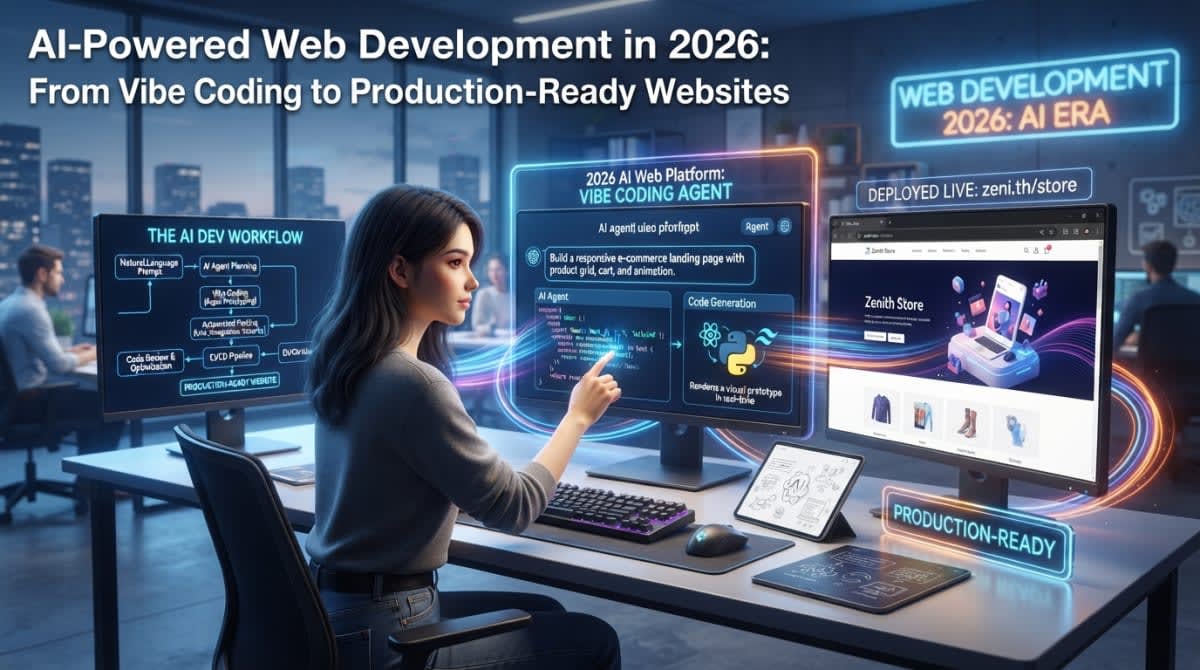
AI-Powered Web Development in 2026: From Vibe Coding to Production-Ready Websites
Building a website in 2026 looks nothing like it did five years ago. A developer can describe a feature in plain English and watch an AI agent write the code, run the tests, and suggest improvements. An entrepreneur with no programming background can generate a functional landing page from a single prompt. This is the era of vibe coding — describing what you want and letting AI handle the implementation.
The appeal is obvious. Prototypes appear in minutes. Repetitive boilerplate disappears. Developers focus on architecture and logic rather than syntax. But a prototype is not a product. A demo that works on your laptop is not a website ready for paying customers. The gap between "AI generated something that runs" and "this application is secure, accessible, maintainable, and ready for production" remains substantial.
This article examines AI-powered web development as it actually exists in 2026: what works, what fails, and what developers and business owners need to understand before shipping AI-generated code to real users.
What Is AI-Powered Web Development?
AI-powered web development covers a spectrum of practices, and conflating them leads to confusion. At one end, AI-assisted coding means autocomplete and suggestion tools that help a developer write code faster while retaining full control. At the other end, agentic coding means an AI system that receives a goal, plans steps, modifies multiple files, runs tests, and iterates toward completion with limited human intervention.
Between those poles sit several overlapping approaches. Prompt-based website generation tools create an initial interface from a text description. Vibe coding describes the practice of building software primarily through natural-language prompts with minimal manual code editing — a term popularized by Andrej Karpathy and now used to describe everything from weekend projects to startup prototypes. AI coding agents operate more autonomously, often directly within a codebase, making changes across files and executing commands.
Developers use these tools for generating components, explaining unfamiliar code, building layouts, troubleshooting errors, writing tests, documenting projects, and refactoring existing code. The overlap is real — a single tool might offer autocomplete, chat, and agent modes — but the engineering implications differ dramatically.
Why AI Web Development Is Trending in 2026
The adoption numbers tell part of the story. JetBrains Research surveyed over 15,000 professional developers and found that approximately 90% now use AI coding agents at least weekly, with 68% using them daily. Claude Code overtook GitHub Copilot as the most-used agent, rising from 18% to 39% usage in six months. These are not experimental tools anymore. They are part of the standard development workflow.
The capabilities have shifted too. Early AI coding tools excelled at single-file suggestions. Modern agents work with entire repositories, understanding context across front-end and back-end code, adjusting routing, API handlers, and components together. They can run tests, execute dev servers, and iterate based on results.
But adoption and quality are different measurements. Using an AI agent does not guarantee better outcomes. A 2026 IEEE study on AI-generated code found that a substantial fraction of generated snippets contained at least one security weakness, with C and C++ outputs notably riskier than Python or Java. The tools are powerful. They are not infallible.
How AI Can Build a Website From a Prompt
A realistic AI-assisted workflow looks less like magic and more like structured engineering with acceleration.
The process begins with defining purpose and audience. Who is this site for? What must it do? A prompt like "build me a website" produces generic results. "Create a responsive landing page for a Nairobi-based accounting firm targeting small business owners, with a contact form and service descriptions" gives the AI something to work with.
The AI generates an initial interface — layout, typography, colors, responsive behavior. You refine. You implement application logic, connect APIs, wire up the database and authentication if needed. Validation and error handling come next. Then testing, security review, and performance checks. Finally, deployment and monitoring.
AI accelerates the middle steps significantly. Generating a React component with proper accessibility attributes, writing CRUD operations for a database, or creating a test suite from an existing codebase — these tasks that once consumed hours now take minutes. But the decisions at either end — what to build and whether it is safe to ship — remain human responsibilities.
Vibe Coding vs Professional Web Development
The distinction is not about tools. It is about rigor.
Aspect Vibe Coding Professional Development Development speed Very fast for prototypes Deliberate, planned iterations Architecture Emergent, often undefined Designed before implementation Code quality Variable, rarely reviewed Reviewed, tested, documented Security Often overlooked Threat-modeled and validated Maintainability Low if author lacks understanding Structured for long-term support Accountability Unclear Developer owns outcomesVibe coding works well for personal projects, internal tools, experiments, and low-risk applications where speed matters more than longevity. A developer who understands the code can use AI to move faster without sacrificing quality. The problems arise when someone without that understanding ships an AI-generated site handling payments, personal data, or sensitive business operations.
Popular AI Tools and Development Workflows
The tool categories matter more than specific product names, which change quickly. AI coding assistants like GitHub Copilot and Codeium provide suggestions within existing workflows. Agentic coding environments like Claude Code and Cursor operate with more autonomy, modifying files and running commands. Prompt-based builders like v0 and Bolt generate applications from descriptions. Design-to-code tools convert mockups into functional interfaces.
When evaluating tools, consider what the project actually requires. A simple marketing site needs different capabilities than a complex web application with authentication, payments, and real-time data. Check supported frameworks, deployment options, data handling policies, and how much autonomy the tool exercises. The most capable tool for one project may be overkill or insufficient for another.
Can AI Build Full-Stack Applications?
Modern full-stack applications involve front-end code, back-end APIs, database design, authentication and authorization, file storage, testing, deployment, and monitoring. AI can assist at every layer — generating API endpoints, writing database migrations, creating authentication flows, configuring deployment scripts.
The failures tend to cluster in specific areas. Inconsistent data models emerge when different parts of the application assume different schemas. Missing server-side authorization is common — AI-generated code often validates on the client but forgets to enforce permissions on the server. Broken API contracts happen when front-end and back-end evolve separately without coordination. Weak error handling leaves edge cases unaddressed.
An appointment-booking platform illustrates both the potential and the risk. AI can generate the booking form, the calendar logic, the email notifications, and the database schema in hours. But does it handle double-bookings? Does it validate that a user can only cancel their own appointments? Does it protect against timezone edge cases? Those questions require human review, not just a working demo.
The Security Risks of AI-Generated Websites
Security deserves particular attention because AI-generated code is often fluent and confident even when it is vulnerable. The OWASP Top 10 for Large Language Model Applications 2026 identifies the most critical risks, including prompt injection, sensitive information disclosure, and improper output handling. These apply directly to AI-assisted web development.
Common vulnerabilities in AI-generated code include hardcoded API keys and secrets, broken authentication flows, missing server-side authorization checks, SQL injection through unsafe queries, cross-site scripting, insecure direct object references, and excessive database permissions. Research on agentic software changes found that AI-generated pull requests introduce security issues at rates comparable to human contributions — but without the same awareness of what to avoid.
The safeguards are not novel. They are the same practices that have always mattered: keep secrets in environment variables or a secrets manager, validate inputs on the server, enforce authorization on every protected operation, use least-privilege database permissions, audit dependencies, and run automated security checks. The difference is that AI-generated code requires more scrutiny, not less, because the developer may not have written or fully understood what the AI produced.
For a broader look at protecting business assets in an AI-augmented environment, our guide on securing your data and business assets in 2026 covers access control, monitoring, and incident response.
Testing AI-Generated Code Before Deployment
Visual inspection is not testing. Code that looks correct can fail on edge cases, expose data through error messages, or break under load. AI can help generate tests, but generated tests may repeat the same assumptions that produced the original code, missing the same edge cases.
A practical pre-deployment checklist includes unit tests for individual functions, integration tests for how components work together, end-to-end tests for critical user journeys, API testing for request and response handling, accessibility testing for screen-reader compatibility and keyboard navigation, security testing for common vulnerabilities, and performance testing for load times and responsiveness.
Test the critical paths: registration, login, password recovery, form submission, payment processing, and access to protected records. Verify that unauthorized users cannot access data they should not see. Verify that error messages do not leak sensitive information. Verify that the application behaves correctly when APIs fail or return unexpected data.
Performance, Accessibility, and SEO
AI-generated sites often prioritize visual appearance over the technical foundations that make websites work well for all users and search engines.
Performance considerations include image optimization, JavaScript bundle size, caching strategies, lazy loading, and efficient data fetching. Core Web Vitals — loading, interactivity, and visual stability — affect both user experience and search rankings.
Accessibility requires semantic HTML, keyboard navigation, proper form labels, adequate color contrast, and screen-reader compatibility. AI-generated code frequently omits these because the model optimizes for visual output rather than assistive technology compatibility.
Technical SEO depends on descriptive page titles and headings, crawlable internal links, appropriate canonical URLs, sitemap and robots.txt configuration, metadata, and content that renders without requiring client-side JavaScript execution. Server-side rendering or static generation helps when appropriate.
Choosing the Right Technology Stack
AI can generate code in almost any language or framework, but that does not mean every stack is equally suitable. Choose based on requirements, not trends or what the AI happens to generate well.
TypeScript adds type safety that catches errors before runtime, which matters more when code is AI-generated and may not have been fully reviewed. The tradeoffs between TypeScript and JavaScript are worth understanding before committing — our comparison of TypeScript vs JavaScript in 2026 covers the practical differences.
On the front end, React remains dominant, with Next.js adding server-side rendering, routing, and API routes. The choice between them depends on whether you need a single-page application or a full-stack framework with SEO-friendly rendering. Our article on React vs Next.js in 2026 examines the tradeoffs.
Back-end choices include Node.js with Express for JavaScript consistency, managed services like Supabase or Firebase for speed, and traditional frameworks like Django or Laravel when their ecosystems match the project. Databases range from PostgreSQL for relational integrity to MongoDB for flexible schemas.
AI Web Development for Freelancers and Small Businesses
For freelancers and small teams, AI-assisted development compresses timelines for landing pages, business websites, dashboards, and internal tools. A booking system that once required weeks of custom development can be prototyped in days. Documentation and test suites that never got written now generate in minutes.
The value is not in replacing expertise but in amplifying it. Understanding client requirements, designing appropriate architecture, communicating tradeoffs, testing thoroughly, and maintaining what you ship — these remain professional services that command fair compensation. AI reduces the repetitive work, not the judgment.
Common Mistakes When Using AI to Build Websites
- Vague prompts produce generic results. Specify audience, purpose, and constraints.
- Generating an entire application without architecture leads to inconsistent patterns and hard-to-maintain code.
- Accepting code without reading it means you cannot debug, maintain, or secure what you shipped.
- Skipping testing because the demo worked hides failures that appear under real conditions.
- Ignoring authentication and authorization leaves protected resources accessible.
- Exposing secrets in client-side code or repositories creates immediate security exposure.
- Installing unnecessary dependencies expands the attack surface and maintenance burden.
- Deploying without monitoring means you discover problems from user complaints rather than alerts.
A Professional Workflow for Building Production-Ready Websites With AI
A repeatable workflow keeps AI acceleration from undermining engineering discipline.
Start with requirements and architecture — what the system must do and how components fit together. Break work into small implementation tasks that AI can complete and you can review. Review every change before merging. Run automated tests and security checks. Verify performance and accessibility. Deploy to staging and test with realistic data. Then deploy to production with monitoring in place.
Version control matters more with AI-generated code, not less. Small commits with clear messages make it possible to identify when a regression was introduced. Clear acceptance criteria define what "done" means. Meaningful error messages help when something fails in production.
AI agents should receive only the permissions necessary for their tasks. Production deployments, destructive database operations, and payment-related changes warrant explicit human approval. The goal is to capture AI's speed without surrendering control over consequential actions.
The Future of AI-Powered Web Development
Coding agents will become more capable at repository understanding, debugging, and testing. Natural-language interfaces for development will improve. AI-assisted accessibility checks and automated code review will mature.
Challenges will persist. Code review bottlenecks emerge when AI generates more code than humans can meaningfully assess. Technical debt accumulates when speed outpaces understanding. Dependency risks grow as generated code pulls in libraries. Accountability remains unresolved — when AI-generated code fails, the developer or organization that shipped it bears responsibility.
The most likely outcome is not replacement but reorganization. Developers spend less time on syntax and boilerplate, more time on architecture, security, requirements, and the judgment calls that determine whether software actually solves the right problem.
Frequently Asked Questions
What is AI-powered web development?
AI-powered web development uses artificial intelligence tools to assist or automate parts of the website creation process, including code generation, debugging, testing, documentation, and design. It ranges from simple autocomplete to agentic systems that modify multiple files and run commands.
What is vibe coding?
Vibe coding describes building software primarily through natural-language prompts with minimal manual code editing. It works well for prototypes and low-risk projects but requires additional engineering rigor for production systems handling sensitive data or critical operations.
Can AI build a complete website?
AI can generate functional prototypes and assist with every layer of a web application. Whether the result is production-ready depends on the complexity, security requirements, and the human review process applied. Simple sites are more achievable; complex applications with authentication, payments, and sensitive data require significant human oversight.
Can AI-generated websites be used in production?
Yes, with appropriate safeguards. AI-generated code should be reviewed, tested, and secured like code from any contributor. The risks depend on the specific implementation, the sensitivity of the data involved, and the rigor of the review process.
Are AI coding tools safe to use?
AI coding tools are generally safe to use for development, but they introduce specific risks including prompt injection, sensitive information disclosure, and excessive agency. Use tools that offer appropriate data handling policies, keep secrets out of prompts, and review generated code before deployment.
Which programming languages work well with AI coding tools?
Most modern languages have strong AI tool support, with JavaScript, TypeScript, Python, and React particularly well-served. Research suggests that generated code in C and C++ carries higher security risk than managed languages like Python or Java.
Will AI replace web developers?
AI is changing what developers spend time on rather than eliminating the role. Architecture, security, requirements analysis, and accountability remain human responsibilities. Developers who use AI effectively while maintaining engineering discipline will be more productive, not redundant.
How can developers test AI-generated code?
Use the same testing practices that apply to any code: unit tests, integration tests, end-to-end tests, and security scanning. AI can help generate tests, but verify that tests cover edge cases and requirements rather than simply confirming what the code already does.
Conclusion
AI-powered web development has compressed the distance between idea and implementation. Prototypes that once took weeks now take hours. Repetitive coding tasks that consumed developer attention now happen automatically. But speed alone does not make software dependable.
The professional workflow remains: clear requirements, sound architecture, security review, thorough testing, accessibility validation, performance optimization, and human accountability for what ships. AI accelerates implementation within that framework. It does not replace the framework.
For developers, the practical principle is straightforward. Use AI as a productivity multiplier. Understand the code you ship. Review before merging. Test before deploying. Monitor after launch. The tools will keep improving. The discipline that makes software reliable will remain necessary.