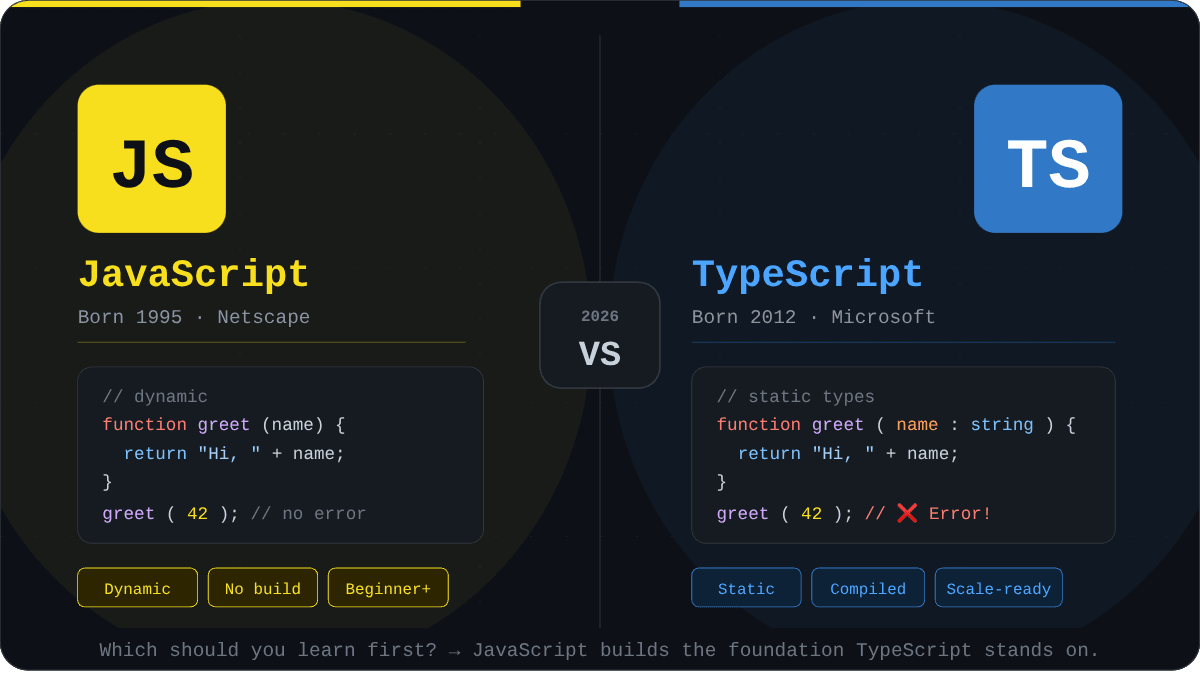
TypeScript vs JavaScript: Which One Should You Learn First in 2026?
The TypeScript vs JavaScript debate has shaped how developers choose their first programming language for years and in 2026, it's more relevant than ever. Whether you're a complete beginner opening a code editor for the first time, or a mid-career developer deciding what to invest your next 300 hours of learning into, this question matters deeply. Both languages power the modern web, both appear in virtually every developer job posting, and both have passionate communities. But they are not the same, and choosing the wrong one to start with can create months of unnecessary confusion.
This guide cuts through the noise. We'll define exactly what each language is, compare them side by side with real code, walk through use cases, examine the 2026 job market, and give you a clear, defensible recommendation based on your goals not just a vague "it depends."
Quick AnswerLearn JavaScript first. It's the foundation. TypeScript is JavaScript with a type system built on top, you cannot meaningfully learn TypeScript without first understanding JavaScript. Once you have 3–6 months of solid JavaScript experience, add TypeScript. The two are complementary, not competing.
What is JavaScript?
JavaScript is a high-level, dynamically typed, interpreted programming language originally created by Brendan Eich at Netscape in 1995 in just 10 days. It was designed to add interactivity to web pages, and it has since evolved into one of the most widely used programming languages on the planet.
Today, JavaScript runs in every web browser, on servers via Node.js, in mobile apps via React Native, in desktop apps via Electron, and even on embedded devices. Its ubiquity is unmatched. The ECMAScript specification (the official standard JavaScript follows) has added powerful features over the years from ES6 arrow functions and classes in 2015 to modern features like optional chaining (?.), nullish coalescing (??), and top-level await.
🟨JavaScript
Born: 1995 · Netscape VS🟦TypeScript
Born: 2012 · MicrosoftA Simple JavaScript Example
// JavaScript: dynamically typed
function greetUser(name) {
  return "Hello, " + name + "!";
}

console.log(greetUser("Alice"));   // "Hello, Alice!"
console.log(greetUser(42));        // "Hello, 42!" — no error, JS is flexible
console.log(greetUser());          // "Hello, undefined!" — also no error
This flexibility is one of JavaScript's greatest strengths for beginners and one of its most notorious sources of bugs in production. Notice that calling greetUser(42) silently coerces the number to a string. There's no warning, no crash. It just works, for better or worse.
What is TypeScript?
TypeScript is an open-source, statically typed superset of JavaScript developed and maintained by Microsoft, first released in 2012. "Superset" means every valid JavaScript program is also valid TypeScript. TypeScript adds an optional type system on top of JavaScript, which allows you to declare the types of variables, function parameters, and return values. This code is then compiled (transpiled) back to plain JavaScript before it runs in a browser or Node.js.
Think of TypeScript as JavaScript with a strict safety net. You write TypeScript, the TypeScript compiler (tsc) checks your types, catches errors before your code runs, and outputs JavaScript. The browser never sees TypeScript it sees the compiled JS output.
The Same Example in TypeScript
// TypeScript: statically typed
function greetUser(name: string): string {
  return "Hello, " + name + "!";
}

console.log(greetUser("Alice"));   // Works fine
// console.log(greetUser(42));     // TypeScript ERROR: Argument of type 'number'
                                   //    is not assignable to parameter of type 'string'
// console.log(greetUser());       // TypeScript ERROR: Expected 1 arguments, but got 0
TypeScript catches both of the problematic calls at compile time, before the code ever runs. This is the core value proposition: you trade a little flexibility for dramatically fewer runtime surprises. In a large codebase with multiple developers, this difference is enormous.
TypeScript vs JavaScript: Key Differences Explained
Understanding the precise differences between these two languages will make your learning path much clearer. Below is a structured comparison across the dimensions that matter most to developers.
Feature JS JavaScript TS TypeScript Type System Dynamic — types resolved at runtime Static — types checked at compile time Compilation Interpreted directly by engine (V8, SpiderMonkey) Compiled/transpiled to JavaScript first Error Detection Errors surface at runtime (in browser/server) Most errors caught before code runs Tooling (IDE) Good autocomplete with JSDoc comments Excellent autocomplete, inline docs, refactoring Learning Curve Lower — start writing immediately Higher — requires understanding types, generics, interfaces File Extension.js, .mjs, .cjs
.ts, .tsx
Browser Support
Native — runs in every browser
Must compile to JS first — then runs anywhere JS runs
Community Size
Largest programming community in the world
Fastest-growing typed language; majority of large JS projects have adopted it
Best For
Quick scripts, learning, small-to-medium projects
Large-scale applications, teams, long-term maintainability
Popular Frameworks
React, Vue, Express, Svelte
Angular (TS-first), Next.js, NestJS, all the above with TS support
Understanding TypeScript's Type System: A Deep Dive
The type system is what makes TypeScript fundamentally different, and understanding it at a conceptual level is critical — even for beginners who will learn it later. TypeScript supports primitive types (string, number, boolean), complex types (object, array, tuple), and advanced constructs like interfaces, generics, union types, and type guards.
Interfaces and Object Shapes
// Defining a contract for what a User object must look like
interface User {
  id: number;
  name: string;
  email: string;
  role: "admin" | "editor" | "viewer"; // union type — only these 3 strings allowed
  createdAt?: Date;                     // optional property
}

function sendWelcomeEmail(user: User): void {
  console.log(`Sending email to ${user.email}...`);
}

// This works perfectly
const newUser: User = {
  id: 1,
  name: "Alice",
  email: "alice@example.com",
  role: "editor",
};

sendWelcomeEmail(newUser);

// This would throw a TypeScript compile error
// sendWelcomeEmail({ id: 2, name: "Bob" });
// Error: Property 'email' is missing in type '{ id: number; name: string; }'
Interfaces are one of TypeScript's most powerful features. They define the shape of an object — a contract that any object claiming to be a User must fulfill. This makes it impossible to accidentally pass a malformed object to a function, a class of bugs that is extremely common in pure JavaScript codebases.
Generics: Writing Reusable, Type-Safe Code
// A generic function that works with ANY type while preserving type safety
function getFirstElement(arr: T[]): T | undefined {
  return arr[0];
}

const firstNumber = getFirstElement([10, 20, 30]);    // TypeScript infers T = number
const firstName   = getFirstElement(["Alice", "Bob"]); // TypeScript infers T = string

// firstNumber is typed as number | undefined — NOT any
// TypeScript knows what type came out based on what went in
console.log(firstNumber?.toFixed(2)); // number method allowed
// console.log(firstNumber?.toUpperCase()); // Error: not a string method
Generics allow you to write functions and classes that work with any type while still maintaining full type safety. Without generics, you'd be forced to either write separate functions for each type (repetitive) or use any (which defeats the purpose of TypeScript entirely).
Real-World Use Cases: When to Use JavaScript vs TypeScript
Both languages are production-ready. The choice between them is typically driven by project scale, team size, and long-term maintenance requirements — not personal preference.
Use JavaScript When:
- You're learning to code for the first time and want immediate feedback without compile steps
- Building small scripts, browser extensions, or one-off automation tools
- Working on a solo project with a short lifespan
- Prototyping rapidly and iteration speed matters more than safety
- You're writing serverless functions or simple API endpoints that won't grow significantly
Use TypeScript When:
- Building a large-scale application that will grow over time (think SaaS, e-commerce platforms)
- Working on a team where multiple developers share a codebase
- The codebase has complex data models (e.g., deeply nested API responses, financial data)
- You want superior IDE support — TypeScript's autocomplete is dramatically better
- Using frameworks like Angular (TypeScript-first) or NestJS
- Building a public-facing API or SDK that other developers will consume
Real-world data point: According to the 2024 Stack Overflow Developer Survey, TypeScript was the 5th most popular language overall and ranked 3rd in "most wanted" by developers who don't yet use it. Over 65% of JavaScript projects at companies with 100+ engineers use TypeScript.
TypeScript vs JavaScript: The 2026 Job Market
If you're learning to code to get a job which (is a perfectly valid and smart goal) the job market picture matters enormously. Here's the honest state of things in 2026:
Almost every job posting for a front-end, full-stack, or Node.js developer in 2026 lists JavaScript as a requirement and TypeScript as a strong plus or requirement. You will rarely see a posting that says "TypeScript only, no JavaScript knowledge needed." The practical reality is that employers assume TypeScript knowledge implies JavaScript knowledge, but not the reverse.
Framework roles tell the full story. If you want to work with React or Next.js, you'll need JavaScript/TypeScript fluency — and most React job listings in 2026 now specify TypeScript. For Angular positions, TypeScript is mandatory. NestJS (the leading Node.js framework for enterprise backends) is TypeScript-only by design.
Career Strategy: Learn JavaScript deeply first (3–6 months). Add TypeScript (2–3 months of focused practice). Then specialize in a framework. This sequence maximizes your employability and your ability to actually understand what you're building.
How to Migrate a JavaScript Project to TypeScript
One practical advantage TypeScript has is that migration from a JavaScript codebase can be done incrementally. You don't have to rewrite everything at once. The TypeScript compiler's allowJs flag lets you start introducing .ts files alongside existing .js files and gradually increase type coverage over time.
Step 1: Install TypeScript
# Initialize a Node project if you haven't already
npm init -y

# Install TypeScript as a development dependency
npm install --save-dev typescript

# Create a TypeScript configuration file
npx tsc --init
Step 2: Configure tsconfig.json for Incremental Migration
{
  "compilerOptions": {
    "target": "ES2022",
    "module": "commonjs",
    "strict": false,          // Start loose, tighten over time
    "allowJs": true,          // Allow .js files alongside .ts
    "checkJs": false,         // Don't type-check .js files yet
    "outDir": "./dist",
    "rootDir": "./src",
    "esModuleInterop": true,
    "skipLibCheck": true
  },
  "include": ["src/**/*"]
}
This configuration lets your JavaScript and TypeScript files coexist. As you migrate individual files from .js to .ts, TypeScript will begin enforcing types on them. The strict flag can be enabled later, once you've built confidence with the system.
Step 3: Rename and Type Your First File
// Before (users.js):
function getUserById(id) {
  return database.find(user => user.id === id);
}

// After (users.ts):
interface User {
  id: number;
  name: string;
  email: string;
}

function getUserById(id: number): User | undefined {
  return database.find((user: User) => user.id === id);
}
Migrating file by file is sustainable and low-risk. Most large open-source projects including React's type definitions, the VS Code codebase, and Slack's web client were migrated from JavaScript to TypeScript this way.
Common Mistakes Beginners Make
Mistake 1: Using any Everywhere in TypeScript
// BAD — this defeats the purpose of TypeScript entirely
function processData(data: any): any {
  return data.value.toString();  // Runtime crash risk is back
}

// BETTER — use unknown and narrow the type
function processData(data: unknown): string {
  if (typeof data === "object" && data !== null && "value" in data) {
    return String((data as { value: unknown }).value);
  }
  throw new Error("Invalid data shape");
}
Using any tells TypeScript "I don't care about this type" it essentially switches TypeScript off for that value. Over-relying on any is the most common anti-pattern among TypeScript beginners and negates the safety benefits that motivated the switch in the first place.
Mistake 2: Learning TypeScript Before Understanding JavaScript Fundamentals
TypeScript adds concepts like interfaces, generics, decorators, and conditional types on top of JavaScript. If you don't already understand closures, prototype chains, the event loop, promises, and the module system in JavaScript, TypeScript will feel overwhelming. Master JavaScript first.
Mistake 3: Not Understanding the Compilation Step
Beginners sometimes forget that TypeScript errors are compile-time errors, not runtime errors. If you bypass the TypeScript compiler (e.g., by using a bundler that strips types without checking them), TypeScript can't protect you. Always run tsc --noEmit as part of your CI/CD pipeline to ensure types are actually being checked.
Performance Considerations
At runtime, there is zero performance difference between TypeScript-compiled code and hand-written JavaScript. Once TypeScript is compiled, it produces plain JavaScript the browser or Node.js runtime has no knowledge that TypeScript was involved.
The performance considerations that do exist are at development time:
- Build time: TypeScript compilation adds time to your build pipeline. For very large projects (millions of lines), this can add seconds or even minutes. Tools like
esbuildandswcstrip types without checking them for faster development builds, whiletscis run separately for type checking. - Type checking overhead: Complex generic types can slow the TypeScript language server inside your IDE. Writing overly complex conditional types has real editor performance costs.
- Bundle size: TypeScript generates clean JavaScript with no runtime overhead, but you should note that
tslibhelper functions are sometimes injected when targeting older JavaScript environments.
Common misconception: TypeScript does NOT add runtime type safety. Types are erased at compile time. If you receive JSON from an API that doesn't match your TypeScript interface, TypeScript cannot catch that at runtime you need runtime validation libraries like zod or io-ts for that.
Advanced Insights: What Senior Developers Know
The "TypeScript Tax" is Real and Worth It
Experienced engineers acknowledge that TypeScript requires more upfront investment: you write more code per feature (type declarations, interfaces), configure tooling, and spend time resolving type errors that may feel pedantic. However, the compounding return on this investment becomes clear at scale. Teams that adopt TypeScript consistently report fewer production bugs, faster onboarding for new engineers, and more confident refactoring.
Structural Typing vs. Nominal Typing
TypeScript uses a structural type system (also called "duck typing"). This means compatibility is determined by the shape of a type, not by its explicit name. This is fundamentally different from languages like Java or C# which use nominal typing.
interface Point2D { x: number; y: number; }
interface Vector2D { x: number; y: number; }

// In TypeScript, these two interfaces are COMPATIBLE because they have the same shape
function movePoint(point: Point2D, direction: Vector2D): Point2D {
  return { x: point.x + direction.x, y: point.y + direction.y };
}

// This works even without explicit interface declaration
const myPoint = { x: 10, y: 20 };       // TypeScript sees: { x: number; y: number }
const myVector = { x: 5, y: -3 };       // Same structure
const result = movePoint(myPoint, myVector); // Structurally compatible
Discriminated Unions: TypeScript's Secret Weapon
// Model different states of an async operation safely
type AsyncState =
  | { status: "idle" }
  | { status: "loading" }
  | { status: "success"; data: T }
  | { status: "error"; message: string };

function renderUserProfile(state: AsyncState): string {
  switch (state.status) {
    case "idle":    return "Click to load profile";
    case "loading": return "Loading...";
    case "success": return `Welcome, ${state.data.name}!`; // data is ONLY available here
    case "error":   return `Error: ${state.message}`;       // message is ONLY available here
  }
}
Discriminated unions eliminate entire categories of undefined and null bugs by making impossible states unrepresentable in the type system. This pattern popularized in the TypeScript community is one of the most powerful tools for building reliable applications.
Recommended Learning Path for 2026
Based on everything covered in this guide, here is a concrete, milestone-based learning path:
- Month 1–2 — JavaScript Foundations: Variables, data types, functions, control flow, arrays, objects, DOM manipulation. Build 3–5 small projects (to-do app, weather widget, calculator).
- Month 3–4 — JavaScript Intermediate: Closures, prototypes, the event loop, Promises, async/await, modules (ES Modules and CommonJS). Build a project consuming a real API.
- Month 5–6 — JavaScript + Node.js: Server-side JavaScript, npm ecosystem, building REST APIs with Express.js. Understand how JavaScript runs outside the browser.
- Month 7–8 — TypeScript Fundamentals: Types, interfaces, generics, enums, type narrowing. Re-implement one of your JavaScript projects in TypeScript.
- Month 9–12 — Framework + TypeScript: Choose React/Next.js or Vue/Nuxt and build with TypeScript from day one. Deploy a full-stack project.
If you're already working with React or Next.js, check out our in-depth guide on Next.js vs React in 2026 Which One to Learn for High-Paying Jobs to understand how TypeScript fits into the modern React ecosystem.
Frequently Asked Questions
- Should I learn TypeScript or JavaScript first in 2026? Learn JavaScript first. TypeScript is a superset of JavaScript :- every TypeScript file is valid JavaScript with types added. You cannot meaningfully learn TypeScript without first understanding JavaScript's fundamentals: functions, closures, prototypes, async patterns, and the module system. Spend 3–6 months on JavaScript, then add TypeScript.
- Is TypeScript harder to learn than JavaScript? Yes, TypeScript has a steeper initial learning curve because it introduces a type system, interfaces, generics, and a compilation step that JavaScript doesn't have. However, for developers who already understand JavaScript, TypeScript's learning curve is approximately 4–8 weeks to become productive. The long-term benefits in code quality and tooling generally outweigh the initial investment.
- Is TypeScript replacing JavaScript? No. TypeScript compiles to JavaScript and runs on the same runtime. TypeScript will never replace JavaScript because it depends on JavaScript to exist. What is happening is that TypeScript is increasingly becoming the standard way to write JavaScript for production applications — especially at scale. JavaScript itself continues to evolve through the ECMAScript standard, and TypeScript tracks those changes closely.
- Do I need TypeScript to get a web developer job in 2026? You need both. Most job postings for front-end and full-stack roles in 2026 require JavaScript proficiency and list TypeScript as either a requirement or a strong bonus. You can land junior roles with JavaScript alone, but TypeScript knowledge significantly increases your competitiveness and is often expected for mid-level and senior positions.
- Can you use TypeScript without knowing JavaScript? Technically possible, but strongly inadvisable. Because TypeScript compiles to JavaScript and inherits JavaScript's runtime behavior, not understanding JavaScript means you won't understand TypeScript's runtime errors, async patterns, or module system. You'll also struggle with any JavaScript library you need to integrate. Learn JavaScript first.
-
What is the difference between TypeScript interfaces and types?
Both
interfaceandtypecan describe object shapes in TypeScript. The key differences: interfaces are extendable (other interfaces can extend them withextends) and are open (they can be augmented in multiple declarations). Type aliases are more flexible — they can represent unions, intersections, primitives, and tuples, not just object shapes. For object shapes in application code, either works. For public library APIs, interfaces are generally preferred because of their extendability. -
Does TypeScript run in the browser?
No. Browsers do not understand TypeScript natively. TypeScript must be compiled (transpiled) to JavaScript first using the TypeScript compiler (
tsc) or a bundler like Vite, webpack, or esbuild. The output is plain JavaScript that browsers execute normally. TypeScript's types are completely erased in the output — they exist only during development.
Conclusion: The Definitive Answer for 2026
The TypeScript vs JavaScript debate has a clear, practical answer for anyone asking "which should I learn first?" — and that answer is JavaScript. Not because TypeScript is worse, but because TypeScript is JavaScript. It's not a replacement; it's an enhancement. Every TypeScript developer is also a JavaScript developer, but the reverse is not necessarily true.
In 2026, the path to becoming a competent, employable web developer runs through JavaScript first, TypeScript second. Master the foundations: variables, functions, the event loop, async patterns, and the DOM. Build things. Struggle with runtime bugs. Then when you add TypeScript, you'll appreciate exactly what problems it solves and why those solutions are worth the additional complexity.
The goal isn't to learn one language or the other. The goal is to become a developer who understands the web platform deeply and both JavaScript and TypeScript are essential parts of that picture in 2026. Start with JavaScript, add TypeScript, and build great things.