n8n: The Powerful Workflow Automation Platform for Modern Businesses
Every growing business hits the same ceiling. Your team is talented, your product works, and customers keep coming. But somewhere between the third spreadsheet update of the morning and the fifteenth "just checking in" email, the actual work grinds to a halt. People spend their days copying data between tools, chasing approvals, and manually moving information from one system to another. This is where n8n workflow automation earns its keep.
n8n (pronounced "n-eight-n") has quietly become one of the most flexible automation platforms for businesses that need to connect their tools, automate repetitive processes, and integrate AI without rebuilding their entire tech stack. It occupies a practical middle ground: more powerful than simple no-code connectors, but far more accessible than building custom software from scratch. For small business owners, operations managers, and technical teams alike, it offers a way to turn scattered manual processes into reliable, automated workflows.
What Is n8n?
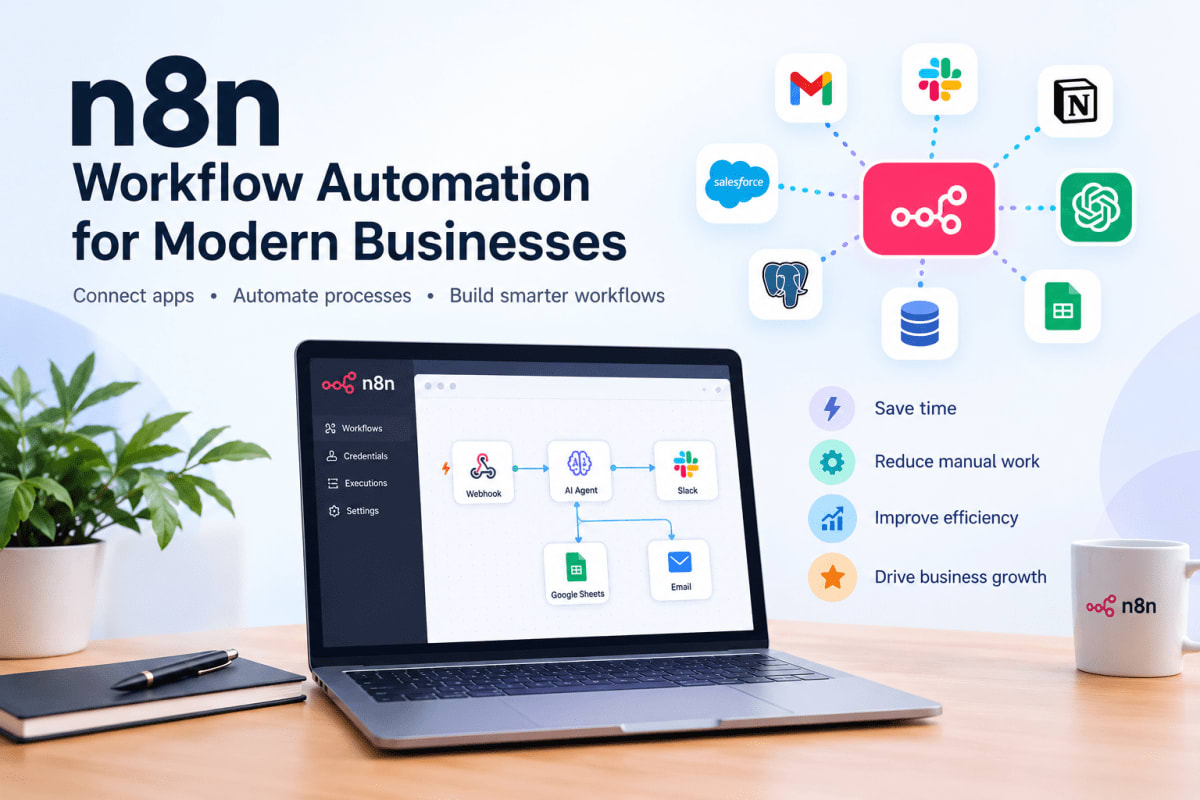
At its core, n8n is a workflow automation platform that connects applications, APIs, databases, and services through a visual, node-based interface. You build workflows by dragging and dropping nodes onto a canvas, connecting them, and defining how data moves between them. Each node performs a specific action: fetching data from a CRM, sending an email, querying a database, calling an AI model, or routing information based on conditions .
The platform supports hundreds of integrations out of the box, and its generic HTTP Request node means you can connect to virtually any service with an API — even ones without a pre-built integration . This flexibility is what separates n8n from more limited automation tools. You are not locked into a fixed set of supported apps. If a service has an API, you can almost certainly automate it with n8n.
n8n is available in two primary forms: a fully managed Cloud option for teams that want to start quickly without managing infrastructure, and a self-hosted option for organizations that need full control over their data and deployment environment . The self-hosted Community edition is free and includes almost the complete feature set, making it accessible for small businesses and startups testing the waters of workflow automation .
How Does n8n Workflow Automation Work?
Understanding n8n comes down to understanding three things: triggers, nodes, and connections. Once you grasp how these pieces fit together, the entire platform makes sense.
Triggers and Events
Every workflow starts with a trigger. This is the event that tells n8n to begin executing. Triggers come in several forms. A schedule trigger runs a workflow at a specific time — every Monday at 9 AM, for example. An app trigger fires when something happens in a connected service, like a new row appearing in a spreadsheet or a form submission. A webhook trigger creates a unique URL that external services can send data to, which is how most real-time integrations work .
For a practical example: a website contact form can be configured to send its data to a webhook URL generated by n8n. The moment someone submits the form, the workflow springs into action, capturing the lead data and moving it wherever it needs to go .
Nodes and Actions
Nodes are the building blocks of a workflow. Each node does one thing: read data from a source, transform it, send it somewhere, or make a decision. n8n provides nodes for hundreds of popular services, plus core nodes for logic, data manipulation, and HTTP requests .
Some nodes are simple, like sending a Slack message or appending a row to Google Sheets. Others handle more complex operations, like the IF node that routes data down different paths based on conditions, or the Merge node that combines data from separate branches .
You connect nodes by drawing lines between them on the canvas. Data flows from left to right, with each node passing its output to the next. This visual approach makes even complex workflows readable at a glance — a major advantage when you need to troubleshoot or hand off work to a colleague.
Connecting Applications and APIs
The real power of n8n emerges when you connect multiple systems. A workflow can pull data from a CRM, enrich it with information from an external API, store the result in a database, and notify the right person — all in sequence, all automatically.
Because n8n is API-first in its design, it handles authentication, rate limits, and data formatting behind the scenes. You configure credentials once in a secure credential store, and then reuse them across workflows without ever exposing sensitive keys in your workflow definitions .
n8n vs Traditional Automation
Traditional automation tools typically fall into two categories: simple rule-based connectors that handle basic if-this-then-that logic, and expensive enterprise platforms that require significant setup and ongoing licensing costs. n8n sits in a different space entirely.
Rule-based tools work well for straightforward tasks — send a notification when a form is submitted, add a row to a spreadsheet. But they struggle with variation. If the input format changes, or if the workflow needs to make a judgment call, these tools break.
n8n workflows can incorporate logic, branching, loops, and AI-powered decision-making. They can handle messy real-world data: unstructured text in an email, inconsistent formatting in a document, or ambiguous customer enquiries that need classification before routing. This is the difference between business process automation that only works in ideal conditions and intelligent automation that adapts to how business actually happens.
The other distinction is cost and flexibility. Many automation platforms charge based on the number of tasks executed, which penalizes businesses that automate heavily. The self-hosted Community edition of n8n removes that ceiling entirely for organizations willing to manage their own infrastructure .
How n8n Can Help Businesses Grow
Growth usually creates operational strain. More customers mean more support queries, more orders to process, more data to manage, and more opportunities for things to slip through the cracks. n8n helps by absorbing that strain without requiring proportional increases in headcount.
Reducing Repetitive Work
The most immediate impact of n8n automation is the elimination of manual data movement. When a lead fills out a form, their information can flow automatically into your CRM, trigger a personalized welcome email, add them to the right marketing list, and notify the assigned sales rep — all without anyone touching a keyboard .
A research project on construction planning automation demonstrated this principle at scale. Using a multi-agent system coordinated through n8n, the time required to generate work breakdown structures and schedules dropped from an estimated 480 minutes to between 16 and 46 minutes, depending on the complexity of the project. The operational cost fell from an estimated €500 per project to under three cents . While that is an academic experiment rather than a typical business scenario, it illustrates how much throughput can improve when repetitive coordination work is handled by a system rather than a person.
Improving Customer Experience
Customers judge businesses on responsiveness. A support ticket that sits in a queue for six hours feels very different from one that gets an immediate acknowledgment and a resolution within the hour. n8n workflows can acknowledge enquiries instantly, route them to the right person based on content, and escalate urgent issues automatically.
Appointment-based businesses benefit especially. A booking confirmation can be sent the moment an appointment is made. Reminders can go out on a schedule. Rescheduling requests can be processed automatically if they fall within defined policies, freeing staff from phone tag.
Improving Business Productivity
When routine tasks run automatically, your team's time shifts to work that actually requires human judgment: solving unusual problems, building relationships, improving processes. This is not about eliminating jobs. It is about making the jobs people have more valuable and less frustrating.
A marketing team spending hours each week pulling metrics into a report can have that report generated automatically. A finance team manually matching invoices to purchase orders can have exceptions flagged and approved items processed without intervention. The time saved compounds across weeks and months.
Supporting Better Decisions With Data
Automated workflows generate clean, consistent data as a byproduct. Because every step is logged and every output is structured, you accumulate a reliable record of what actually happened — not what someone remembered to write down. That data becomes the foundation for better reporting, forecasting, and decision-making.
If you are already thinking about how data flows into analytics and performance measurement, the concepts are similar to what we explored in our article on how AI predictive analytics enhances SEO performance. The same principle applies across business functions: automated processes produce better data, and better data produces better decisions.
Business Processes You Can Automate With n8n
Almost any process that involves moving information between systems, making routine decisions, or notifying people is a candidate for n8n automation. The most common starting points for automation for small businesses and larger organizations alike:
- Customer support: Route incoming tickets based on content, send acknowledgment emails, and escalate unresolved issues automatically.
- Marketing: Collect campaign metrics from multiple platforms, generate performance summaries, and sync audience segments between tools.
- Sales: Log calls and emails to your CRM, create follow-up tasks, and update deal stages based on activity.
- Lead generation: Capture form submissions, enrich lead data with external sources, and route high-priority leads to the right rep instantly .
- Email communication: Send personalized sequences based on customer actions, and draft replies for routine enquiries.
- Data entry and processing: Extract information from emails and documents, and push it into the appropriate system.
- Appointment scheduling: Confirm bookings, send reminders, and handle routine rescheduling without human coordination.
- Document processing: Read incoming documents and extract key fields, deadlines, or terms for review or filing.
- Financial and administrative workflows: Match invoices, route approvals, and flag anomalies for human attention.
- Employee onboarding: Create accounts, assign tasks, send welcome materials, and notify relevant team members — all from a single trigger.
- Reporting and notifications: Generate scheduled reports and send alerts when metrics cross thresholds you define.
The pattern is consistent: a trigger starts the workflow, data moves through a series of steps, decisions are made along the way, and the right people or systems are notified. n8n handles the plumbing so your team does not have to.
Integrating AI Into Business Workflows With n8n
n8n's AI capabilities deserve particular attention because they turn automation from a simple connector into something much more capable. The platform implements LangChain's framework through a set of AI nodes that can be combined with any other n8n node .
What does this mean in practice? AI can perform tasks that would otherwise require human judgment: reading a customer enquiry and determining its intent, summarizing a long document into key points, extracting specific information from unstructured text, or generating a draft response for human review .
The critical distinction is this: AI interprets or generates information, while workflow automation controls what happens before and after that AI step. n8n acts as the orchestration layer — it sends data to the AI, receives the result, and then decides what to do with it based on rules you define .
Practical AI-Powered Workflow Examples
A customer support workflow can receive an incoming email, pass the text to an AI model for classification, and route the ticket based on the result. A refund request goes one way, a technical question goes another, and an ambiguous case goes to a human with the AI's analysis attached for context.
A document processing workflow can extract key terms from incoming contracts or applications, flag anything unusual, and either file the document automatically or route it for human review depending on the confidence level of the extraction.
A reporting workflow can pull metrics from multiple sources, use AI to summarize the trends, and distribute a plain-language summary to stakeholders who do not have time to read raw dashboards.
AI-generated outputs can contain errors or fabrications. For any workflow involving financial data, legal terms, customer communications, or decisions that affect people, include a human review step before the output is finalized or sent.
The integration between n8n and AI is not about replacing human judgment. It is about putting AI where it helps most — handling the volume and routine cases — while keeping humans in the loop for exceptions and high-stakes decisions.
Practical n8n Automation Examples for Small and Medium Businesses
Abstract capabilities are easy to describe. Here is what n8n automation looks like in real operational scenarios.
Website lead capture and routing. A contact form on your website sends its data to an n8n webhook. The workflow adds the lead to your CRM, sends a formatted notification to a Slack channel so the sales team sees it immediately, archives the details in a Google Sheet for tracking, and sends an automatic acknowledgment email to the prospect . What used to happen over hours or days now happens in seconds.
Customer enquiry classification. When a support email arrives, an n8n workflow sends the text to an AI model for classification. Based on the result, the ticket is tagged, routed to the right team, and acknowledged with an appropriate response template. Human agents see a queue that is already organized by priority and type.
Employee onboarding. When HR marks a new hire as "starting," n8n creates their email account, adds them to relevant distribution lists, assigns onboarding tasks in your project tool, schedules a welcome meeting, and notifies their manager. A process that previously involved five people sending emails to each other runs automatically from a single trigger.
Automated reporting. Every Monday morning, an n8n workflow pulls last week's sales data from your CRM, marketing metrics from your ad platforms, and support volume from your helpdesk. It compiles the numbers into a summary, generates a brief written overview, and emails it to leadership. The data is always consistent, and no one spends their Sunday evening preparing it.
Document processing for finance. Incoming invoices are captured by email, passed through an extraction process that pulls vendor name, amount, and due date, and then checked against purchase orders. Matches are queued for payment. Exceptions are flagged for human review. The finance team focuses on anomalies, not data entry.
Reducing Costs and Workload With n8n
The cost argument for n8n workflow automation is straightforward: automated processes do not require salaries, do not take breaks, and do not make transcription errors. The savings show up in several forms.
Direct labor reduction is the most obvious. Tasks that consumed hours per week now consume minutes of oversight. That time can be reinvested in work that actually generates revenue, or it can absorb increased volume without adding headcount.
Error reduction is harder to quantify but equally valuable. Manual data entry has a persistent error rate. Those errors create rework, customer frustration, and sometimes compliance problems. Automated extraction and validation catch issues before they propagate.
Speed improvement affects revenue directly. A lead that gets a response in minutes converts better than one that gets a response in hours. An invoice that gets processed promptly improves cash flow. These gains accumulate across every transaction the workflow touches.
Security and Privacy Considerations
Automation platforms handle sensitive data and credentials. Security cannot be an afterthought. Whether you use n8n Cloud or self-host it, certain practices are essential.
Protecting Credentials and API Keys
n8n stores credentials in an encrypted credential store, separate from workflow definitions . Never hard-code API keys or passwords directly into workflow nodes. Use the credential system so that sensitive values are stored securely and can be updated in one place without touching every workflow that uses them.
Access Control and Authentication
Limit who can create, edit, and execute workflows. In self-hosted deployments, n8n provides environment variables for enforcing two-factor authentication, restricting file access, and controlling cookie security . For teams, the paid Business and Enterprise editions add SSO, shared credentials, and more granular permission controls .
Secure Webhook Design
Webhooks are entry points into your workflows. They should require authentication — Basic auth, header auth, or JWT — and should not expose more data than necessary . If a webhook accepts data from an external system, validate that data before acting on it. The SSRF protection settings in self-hosted n8n can block requests to internal network addresses, which prevents certain classes of attacks .
Human Approval for Sensitive Actions
Not every automated action should be fully autonomous. Payments, contract approvals, and communications that carry legal or financial weight should have a human confirmation step built into the workflow. n8n supports workflows that pause, wait for a response, and then continue based on that response. This is how you get the speed of automation without surrendering judgment.
Logging, Monitoring, and Backups
Keep execution logs so you can trace what happened and when. For self-hosted instances, configure regular backups of the n8n database and any connected services. Monitor workflows for failures — an automation that silently stops working is worse than no automation at all, because the work it was supposed to do falls through the cracks.
Security concerns are not unique to n8n. They are inherent to any system that connects to your business tools. The companion piece on AI assistants in everyday life explores similar privacy tradeoffs in consumer contexts, and the principles carry over: convenience and capability come with responsibility for how data is handled.
Self-Hosting vs Cloud: Making the Right Choice
n8n offers two deployment paths, and neither is universally better. The right choice depends on your team, your requirements, and your constraints.
Consideration n8n Cloud Self-Hosted Setup effort Minimal — starts immediately Requires technical setup and configuration Maintenance Handled by n8n Your responsibility Infrastructure control Limited Full control Scalability Managed scaling You design and manage scaling Cost structure Subscription based on plan and usage Free Community edition, plus infrastructure costs Data residency Data resides on n8n infrastructure Data stays on your infrastructure Best for Teams wanting fast start, limited ops capacity Organizations needing full control or data sovereigntyCloud is the faster path for teams without dedicated infrastructure expertise. Self-hosting requires more work upfront but provides complete control over your environment, which matters for organizations with strict data residency requirements or those that want to avoid usage-based pricing at scale . The free Community edition includes almost the full feature set, with paid editions adding enterprise features like SSO, external secret stores, and advanced permissions .
Risks and Challenges to Take Seriously
Automation is powerful, but it is not magic. Businesses that ignore the risks tend to discover them at the worst possible moment.
- Data privacy: Automated workflows move data between systems. Know what data is flowing, where it is stored, and who can access it.
- Cybersecurity: Every integration is a potential entry point. Secure credentials, restrict access, and review third-party services.
- API failures and service outages: Third-party services go down. Workflows should handle failures gracefully — retry, notify, and avoid losing data.
- Incorrect AI-generated information: AI can produce confident, plausible, and wrong output. Validate AI results before they trigger consequential actions.
- Poorly designed workflows: A workflow that works in testing can fail in production when data does not match expectations. Build for edge cases.
- Employee resistance: People may worry that automation threatens their role. Communicate the purpose clearly and involve the people who do the work in the design.
- Over-automation: Some tasks genuinely need human judgment. Automating them makes outcomes worse, not better.
- Workflow maintenance: APIs change. Services deprecate endpoints. Workflows need periodic review, or they will silently break.
- Implementation costs: The software may be free, but designing, testing, and maintaining workflows takes time. Budget for the transition.
How to Implement n8n Successfully
Successful automation projects share a similar approach. They start small, measure results, and expand based on proven value rather than ambitious plans.
An n8n Automation Roadmap
- Identify repetitive business processes. Look for tasks that happen frequently, follow predictable patterns, and consume time without requiring much creative judgment.
- Measure current time and cost. Before automating, establish a baseline. How long does this process take? How much does it cost? This is how you prove the automation's value later.
- Select a high-value opportunity. Choose something that is painful enough to matter but simple enough to succeed on the first attempt.
- Map the existing workflow. Document each step, who does it, what tools are involved, and where things commonly break.
- Identify systems and data. List the applications, APIs, databases, and people that interact with this process.
- Design the n8n workflow. Plan the trigger, the steps, the logic branches, and the outputs. Keep it as simple as possible.
- Build a small prototype. Start with the core functionality. Do not try to handle every edge case in version one.
- Test with realistic data. Use controlled data that resembles real-world conditions. Test failure scenarios as well as success paths.
- Add validation and human approval where needed. For sensitive actions, include a checkpoint before the workflow completes.
- Secure credentials and sensitive information. Use the credential store. Restrict access. Do not expose more data than necessary.
- Deploy the workflow. Activate it and monitor the first few executions closely.
- Monitor for failures and performance. Set up notifications so you know when something breaks.
- Measure business results. Compare against your baseline. Time saved, errors reduced, response times improved.
- Document the workflow. Write down what it does, what it depends on, and who to contact if it fails.
- Improve and expand gradually. Fix what is not working. Add the next process when the first one is stable.
Identifying the Best Processes to Automate First
The best first candidates share three characteristics: high frequency, clear rules, and low risk if something goes wrong. A lead notification workflow that notifies a sales rep is low risk. An automated payment approval is higher risk. Start with the former, build confidence, then tackle the latter with appropriate safeguards.
Avoid processes that are already broken. Automating a dysfunctional process just makes it fail faster. Fix the process first, then automate it.
Common Mistakes to Avoid
Most automation failures trace back to a handful of recurring mistakes.
- Automating a broken process. Document and fix the workflow before automating it.
- Trying to automate everything at once. Start with one process. Prove it. Then expand.
- Ignoring error handling. Assume things will fail. Build in retries, notifications, and fallback paths.
- Failing to monitor workflows. An automation that stops working without anyone noticing is worse than no automation.
- Exposing credentials. Use the credential store. Never put secrets in workflow definitions.
- Giving AI too much authority. For consequential decisions, keep a human in the loop.
- Ignoring data privacy. Know what data is moving where and who can access it.
- Building workflows nobody documents. If the person who built it leaves, the workflow becomes a black box.
- Depending too heavily on a single API. Third-party services change or fail. Plan for that.
- Measuring execution instead of value. The number of workflow runs does not matter. The time saved, errors reduced, and revenue supported does.
Monitoring, Testing, and Maintaining Production Workflows
An automation that works today may not work next month. APIs change. Data formats shift. Services go down. Production workflows need ongoing attention.
Monitoring means knowing when something fails. n8n logs executions, and you can configure error workflows to notify you when a workflow encounters a problem. Do not rely on discovering failures by accident.
Testing should happen before deployment and periodically after. Test with realistic data. Test failure scenarios. If a workflow depends on an external API, test what happens when that API is unavailable or returns unexpected data.
Documentation is what makes workflows maintainable. Note what each workflow does, what triggers it, what systems it touches, and what to check if it fails. This takes minutes to write and saves hours of confusion later.
Maintenance is periodic review. Check whether workflows are still running correctly. Update them when upstream systems change. Remove or archive workflows that are no longer needed. An automation graveyard of half-broken workflows creates confusion and risk.
Future Trends in n8n and Workflow Automation
The automation landscape is moving toward more capable, more autonomous systems. Several trends are worth watching.
AI agents are becoming more practical. Instead of workflows that follow fixed paths, agent-based systems can reason about what to do based on context and goals. n8n already supports agent-style workflows through its LangChain integration . Expect this to become more accessible and more reliable.
Human-in-the-loop automation will remain important. The most successful implementations combine AI speed with human judgment for decisions that carry weight. This is not a temporary compromise — it is a sensible design pattern.
API-first businesses will continue to multiply. As more services expose APIs, the range of what can be automated expands. n8n's generic HTTP Request node means it can grow with that ecosystem.
Automated data pipelines will become standard infrastructure. Businesses that once relied on manual exports and imports will increasingly expect data to flow automatically between systems. Workflow platforms like n8n are the connective tissue that makes this possible.
These are trends, not certainties. But the direction is clear: automation is moving from isolated tasks toward connected, intelligent systems that span the business.
Conclusion
n8n workflow automation is most valuable when it solves a real problem, not when it is adopted for its own sake. The businesses that succeed with it start by identifying one repetitive, time-consuming process that quietly drains hours every week. They map it, automate it, measure the result, and then move to the next one.
You do not need to automate everything. You need to automate the right things, reliably, with appropriate safeguards and human oversight where it matters. A workflow that saves three hours per week and never fails is worth more than a dozen half-built automations that nobody trusts.
Start with the process that frustrates your team the most. Build it simply. Test it thoroughly. Watch it work. Then expand from there. That is how automation compounds into real operational advantage.
Frequently Asked Questions
What is n8n used for?
n8n is used to automate workflows that connect different applications, APIs, and databases. Common uses include lead capture and routing, customer support triage, data synchronization, automated reporting, employee onboarding, and document processing. It is also used to integrate AI models into business processes for tasks like classification, summarization, and content generation.
Is n8n suitable for small businesses?
Yes. The free self-hosted Community edition makes n8n accessible to small businesses with limited budgets, and the Cloud option provides a managed path for teams without infrastructure expertise. The platform's flexibility means small businesses can start with one simple automation and expand as they grow.
Can n8n integrate with AI?
Yes. n8n implements LangChain's framework through dedicated AI nodes, allowing you to connect AI models, agents, memory, and tools within your workflows . AI can classify text, extract information, generate content, and summarize data, while n8n handles the orchestration before and after the AI step.
Can n8n connect to APIs and databases?
Yes. n8n has built-in nodes for many popular databases and services, and its generic HTTP Request node can connect to virtually any service with an API. Webhook triggers allow external services to initiate workflows by sending data to a unique URL .
Is n8n free or paid?
The self-hosted Community edition is free and includes almost the complete feature set . n8n Cloud offers paid plans with managed infrastructure and additional features. Paid self-hosted editions add enterprise features like SSO, external secret stores, and advanced permissions.
Is n8n secure for business automation?
n8n provides security features including encrypted credential storage, authentication options for webhooks, and configurable security policies for self-hosted deployments . Security also depends on how you configure and use the platform: protecting credentials, restricting access, validating inputs, and monitoring for failures are essential practices.
Should a business self-host n8n or use a managed option?
Self-hosting provides full control over data, environment, and configuration, but requires technical resources for setup and maintenance. The managed Cloud option reduces operational burden and is faster to start, but offers less control over the underlying infrastructure . The right choice depends on your team's capabilities, data requirements, and budget structure.
How should a beginner start with n8n?
Start with a simple, low-risk automation: a webhook that captures form submissions and sends a notification, for example. n8n provides documentation and courses covering the basics of the canvas, nodes, triggers, and data flow . Build one workflow, test it thoroughly, and expand from there.